Wan 3.0 Character Consistency
Second one, it is your character. Second eight, it is somebody else. Drop the photo in, type what is not allowed to change, and Wan 3.0 character consistency is enforced by a clause appended to your prompt before the request leaves. Your first clip is free — an email, no card.
The same substitution written two ways — once handed a picture, once only described · Try this loads the prompt
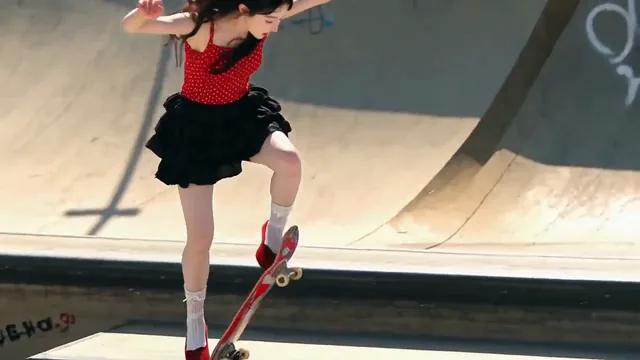
 SWAP FROM AN IMAGE · MOTION HELD
The replacement handed over as a picture
What Wan 3.0 character consistency
actually holds
There is no button that remembers your character. Consistency here is two separate techniques for two separate problems, and knowing which one you have saves you the credits everybody else spends finding out.

What must hold
Every frame after it is a new decision the model makes
Inside one clip, Wan 3.0 character consistency is a sentence: name the features that are not allowed to move and the model stops reinventing them. Across several separate clips, it is reference images — up to ten pictures of the same subject, sent with every generation. Neither one is memory. Close the tab and Wan 3.0 knows nothing about your character; the next shot needs the same clause and the same references again.
- Holds inside one clip
- 1 clause
- Holds across separate shots
- 10 images
- Carried between sessions
- 0
- Per generation, at 30 fps
- 2–30 s
Holds inside one clip
Holds across separate shots
Carried between sessions
Per generation, at 30 fps
- No identity lock — nothing is saved, trained or remembered between generations
- No shot-count parameter and no director mode — several shots is a prompt format, not a setting
- No reference images beside a first frame — the two input families exclude each other in one request
Where the drift comes from
— and the one clause that stops it
Drift is when the coat in second eight is not the coat in second one. It is not a bug and it is not random: it is the model filling in everything your prompt left open.
If your prompt only describes motion, appearance is unclaimed territory. Wan 3.0 will hold an opening frame well for a few seconds, then start improvising the weave of a jacket, the exact hairline, the tone of a logo — because nothing told it those were fixed. The longer the clip and the freer the camera, the more room it has to improvise.
Three things help, in the order they help most. Name the features, not the person — "red wool coat, dark fringe, silver ring on the left hand" holds far better than "the same woman", because the model can check a noun and cannot check an identity. Give the motion somewhere to go — "turns to face the window" beats "moves around", since a described path leaves less to invent. And shorten before you fight it: a twenty-second clip that drifts is usually two clean ten-second clips, cheaper to run and easier to cut together.
 The input
The coat changes weave and the hairline moves. Nothing in the prompt said they should not.

Same camera move, same length, same conditions. The clause is the only difference.
The only difference between them
The subject — red wool coat, dark fringe, silver ring on the left hand — keeps the same face, hair, clothing and colours throughout; only the camera and the described motion change.
Type what must not change — a colour, a logo, a mascot's proportions, a face. The more specific the noun, the less there is to reinterpret. It is appended to your prompt, not sent separately, so you can read exactly what went out.
Goes on the end of your prompt
The subject keeps the same face, hair, clothing and colours throughout; only the camera and the described motion change.
Writing in a language other than English? Keep the clause in English and put your features in your own language inside the dashes — that is what the accounts producing branded work here actually do, and it holds. The clause travels with the prompt every time. There is nothing to save.
One clip, or several shots? They are not the same consistency problem
Pick the wrong route and you will spend the afternoon fixing something the other one solves for free.
 first_frame + clause
Inside one clipThis pageOne photograph as the first frame, plus the appearance clause. Everything happens in a single generation, so the subject only has to survive 2–30 seconds. This is the cheap one — start here.- reference_image ×10
Across separate shotsReference to videoUp to ten photographs of the same character, product or mascot, resent with every generation. This is what a two-minute film made of twelve five-second shots needs. It cannot be combined with a first frame in the same request.
A single shot that drifts is a clause problem. Twelve shots that each look fine on their own but do not match each other is a reference problem, and no clause will fix it — the model never saw shot four when it made shot five.
The practical rule: build the character once, photograph it from the angles you will need, and send that same set every time. Ten images is the ceiling per request. If your character has to speak, lip sync takes the line in the prompt and performs it, so the mouth is one less thing drifting. When the shots are done, reference to video is where the set lives.
The limits on Wan 3.0 character consistency
nobody puts on a feature list
Every one of these is a refusal or a ceiling you will meet on your first real project. They are Alibaba's, not ours, and the numbers below are linked to their documentation rather than paraphrased from a competitor's landing page.
There is no cross-session identity lock. No tool on this model has one, whatever the marketing says — Wan 3.0 is closed, has no published weights and offers no character training. Anything that survives between two of your generations survives because you sent it again.
- Reference images
- 10 per requestOf one subject or several; the ceiling is on the request, not the character
- Official
- Reference + first frame
- refusedThe two input families exclude each other. Sending both fails before generation
- Official
- Shot count
- no parameterMulti-shot is written into the prompt. The number you ask for is a request, not a contract
- Official
- Identity across sessions
- not storedNothing is trained, saved or carried. Every generation starts from what you send it
- Official
- Clip length
- 2 – 30 sDrift grows with length. Two ten-second shots hold better than one twenty
- Official
- Reference video seconds
- billedReference images, audio, documents and links add nothing. Reference video is charged at the output rate
- Official
The honest summary: Wan 3.0 holds an appearance well within a shot and approximately across shots. For a product turntable, a mascot line, or a talking head, that is enough — and the reference set closes most of the remaining gap. For a character who must be pixel-identical in forty shots, no current model does that, and a page telling you otherwise is selling you the run you are about to waste.
What consistency actually costs
— because it is never one run
Here is the part the feature lists leave out: the first attempt is a draft. You will look at it, add one more thing to the clause, and go again. Budget three or four runs for a shot that has to match something — that is what the accounts doing branded work here spend. A failed run is refunded automatically, and drafting at 480P makes an iteration cost a quarter of a finished one.
How this is billed
- Billed by
- output second
- Failed generation
- refunded
- Reference images
- free
- Your first clip
- free · 480P
Iterate the clause at 480P until the appearance holds, then run the keeper once at 720P or 1080P — the clause does not change between them. Full pricing.
どちらでも月々のクレジットは同じ
How to keep a character consistent
in Wan 3.0
Four steps, and the second one is the whole job. Most people skip it and then blame the model.
Drop in the photograph that defines the look
Face, product, mascot or packshot. It becomes the literal first frame, so the appearance you are protecting is already on screen in frame one.
Checked freeName what is not allowed to change
Nouns, not adjectives: "gold foil label", "matte green shell", "three-head-tall proportions". Vague words leave the model room; specific ones close it.
The step that decides itDescribe motion only in the prompt
The model can already see the picture. Say what moves and how the camera behaves, and let the clause hold everything else still.
One camera move per clipDraft at 480P, then commit once
Read the result, add the one thing that slipped to the clause, run again. When it holds, re-run the same prompt at 720P or 1080P.
Up to 1080P
Running the same creator across a week of ad variants rather than across one film? The UGC ad generator is that job, with the arithmetic for a six-hook test written out.
Going past one shot? Photograph the finished character from every angle the film needs, and send that set with every generation from then on — that set is the only thing standing between shot four and shot five.
Wan 3.0 character consistency questions
What holds, what does not, what it costs to find out, and where the reference route takes over
Can Wan 3.0 remember my character between generations?
Why does my character change halfway through the clip?
Does it work for a product or a logo, not just a face?
How many shots can hold the same character?
Can I write the clause in Japanese, Chinese or Korean?
Can I use reference images and a first frame together?
How many runs does a consistent shot usually take?
Do I need an account to try it?
Bring the photo. Name what cannot change.
One image, one clause, one clip — and you will know in ninety seconds whether Wan 3.0 holds your character well enough for the job. First clip free at 480P, an email and no card. If it drifts, it cost you nothing to find out.
wan-3.run 編集チームが執筆・管理しています公開 最終更新 ツール バージョン 2026.09.4