Wan 3.0 Reference to Video
Upload the face, the jacket, the product, the voice — Wan 3.0 takes all four and keeps every one of them the same for up to thirty seconds, in a scene that never existed. Up to ten images, five clips and five audio tracks in a single generation.
Three published Wan 3.0 runs · press Try this to load the prompt
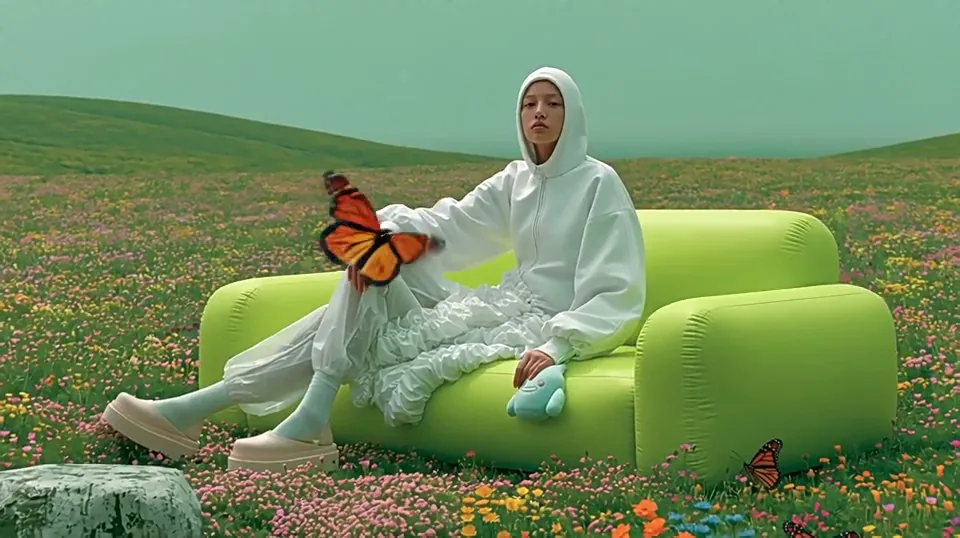
 16:9 · 720P · 5s
Cites Image 1, and locks it
What Wan 3.0 reference to video
keeps the same
You upload material and Wan 3.0 builds a scene that obeys it.
Wan 3.0 reference to video takes up to twenty reference assets — ten images, five video clips and five audio tracks — and treats each one as a constraint rather than a starting point. Those faces, garments, props, voices and spatial relationships stay consistent throughout a single take of up to thirty seconds, with audio generated in the same pass.
- Images · clips · audio
- 10 + 5 + 5
- Assets in one request
- 20
- Any whole second
- 2–30 s
- 30 fps, sound included
- 480P / 720P / 1080P
Images · clips · audio
Assets in one request
Any whole second
30 fps, sound included
- Not an editor — it builds a new scene rather than changing an old one
- Not a face swap, and not a way to put someone in a video without their agreement
- No first frame alongside references — those two families exclude each other
Why Wan 3.0 will not take references and a first frame together
Wan 3.0 has two families of media input, and a single request may only use one of them.
 reference_image
Reference familyThis page`reference_image` · `reference_video` · `reference_audio` · `file` · `link` — material the model borrows from to build a scene that never existed. first_frame
Frame familyImage to video`first_frame` · `last_frame` — an exact opening, and optionally an exact ending, that the output has to pass through.
Send one from each family and Wan 3.0 rejects the request outright rather than picking a winner — which is why this page disables the frame inputs the moment you add a reference. The refusal happens upstream, after you have queued, so catching it here costs a second instead of a place in the queue.
Which family you want follows from the question you are asking. "Start on exactly this photograph" is a frame, and that is image to video. "Keep this face, but somewhere it has never been" is a reference, and that is this page.
How many references
Wan 3.0 accepts
Three kinds of material go into Wan 3.0, each with its own ceiling: ten images, five video clips, five audio tracks.
⚠️ Wan 3.0 bills reference video seconds alongside your output seconds, and the two together cannot exceed thirty. Six seconds of reference plus a twenty-second output is twenty-six billed seconds and a valid request; six plus twenty-eight is not. Images, audio, documents and links add nothing.
- Reference images
- ≤ 10 · ≤ 20 MB each · JPEG · JPG · PNG (no alpha) · BMP · WEBP240–8,000 px per side, aspect ratio up to 8:1
- Official
- Reference video
- ≤ 5 clips · 1–15 s each · **15 s total across all clips** · mp4 · mov · ≤ 100 MB each
- Official
- Everything together
- 20, which is those three added upAlibaba sets a limit per type. There is no separate cap on the total — this row is arithmetic, not a published number.
- Official
Five video slots at fifteen seconds each would be seventy-five seconds, and the ceiling is fifteen — so on video the slot count is never the binding constraint, the running total is. The counter above the prompt box tracks both, in seconds and in credits, before you press Generate.
What Wan 3.0 actually holds steady
Alibaba lists four dimensions of Wan 3.0 consistency. They are worth knowing separately, because when something drifts it is usually one of them and not all four.
The subject
What the camera is pointed at.
charactersCharacters
Facial features, hairstyle and colour, body shape, clothing, accessories.
Fine enough that a jacket's straps survive a fight scene.
propsProps
Multi-angle appearance, hardware structure, logos, material detail.
The same bottle, shot to shot, label intact.
The scene
Everything around the subject.
spaceSpace
Character blocking and camera perspective, with the spatial relationships kept correct.
The geography stops drifting between shots.
styleStyle
Cinematic tone rendered consistently, with no bleed between looks in a multi-style project.
One grade across the whole set.
Alibaba's own Wan 3.0 showcase runs two image references through thirty seconds of high-speed action and holds fur, clothing, sheaths and staging throughout. That is the ceiling; your result depends mostly on reference quality.
Most real work is not one long take — it is three or four clips that have to look like the same production, and the method for that is duller than it sounds: keep everything except the prompt identical. The same files byte for byte, the same job on each asset, the same style sentence at the end, the same resolution and ratio. Change only the action and the camera. Re-uploading a lightly re-exported copy of the same photo is the usual reason a sequence drifts, because the file is no longer identical — Wan 3.0 has no memory between requests, so consistency is entirely a function of what you hand it.
Give every Wan 3.0 reference one job
This is the part that decides whether the result looks right, and it is where most Wan 3.0 attempts go wrong. The model does not guess what you uploaded a file for — you tell it, in the prompt, by number.
Lock a face and wardrobeThe strongest thing Wan 3.0 does. One person per image, front-on and well lit beats artistic every time — a passport-style photo outperforms a moody portrait.
Image 1 is the woman in the grey wool coat; keep her face, hair and coat exactly.
Lock a product or propMulti-angle appearance, logos, hardware and material all hold. Two angles of the same object work better than one hero shot.
Image 2 and Image 3 are the same bottle; keep the label and the cap hardware.
Donate motion and timingA reference clip is not there to be copied — it is there to donate its rhythm: how long a beat holds, how a transition moves.
Video 1 donates the walking cadence only, not the character.
Donate a voice, or set the spaceAn audio reference sets the timbre, and paired with a face reference the lip sync follows it. A location plate fixes blocking and camera perspective so the geography stops drifting.
Audio 1 donates timbre only. Image 4 sets the room and the camera height.
Write Image 1, not image1
Image 1 · Video 1 · Audio 1Wan 3.0@image1Seedance
Wan 3.0 expects the English form with a capital and a space. `@image1` is Seedance syntax and several guides repeat it here, where it is not read. Numbering runs separately within each media type and follows upload order — reorder your files and you have made a different request.
Twenty assets is the headline number; the number you should actually use is much smaller. One subject per image, one job per asset — the moment one file carries two conflicting jobs, or one image contains two people, the model has to guess, and guessing is the thing you uploaded references to prevent. Most good scenes are done with three or four. Would rather not write the rest of the prompt? The prompt generator writes it in Alibaba's order.
When Wan 3.0 consistency breaks, and what to do
Reference mode is the only Wan 3.0 route where your inputs are billed too, so a run that comes back wrong costs twice. These are the five ways it goes wrong, in the order you are likely to meet them — and the panel above the Generate button reads your setup for the ones it can see coming.
The character does not look like the reference
Almost always because the image contains more than one person, or because that same image was also asked to define the location or the style.
One subject per image, one job per asset.
Two characters blur where they touch
Overlapping positions plus simultaneous action is the hardest case. Validate on a shot with clear separation first, then add contact.
Two well-separated characters are dependable; a crowd that touches is not.
The motion ignores the reference clip
That asset was also asked to define a character, so it is carrying two jobs and the model has to choose one.
Split it into two assets with one job each.
The bill is larger than expected
Reference video seconds are billed at your output rate, and they count against the same thirty-second ceiling. Images, audio, documents and links are free.
6s of reference + 20s of output = 26 billed seconds.
The request is rejected before generating
A first frame was sent alongside references. The two families exclude each other, and the refusal is the whole request rather than one input.
Order: Image 1 · Image 2 · Video 1 — no frame inputs.
Start simple to validate reference quality, then add complexity. A scene that fails with five characters often works with two, and two clean clips cut together beat one muddled one.
What a Wan 3.0 reference to video clip costs
Same per-second rate as every other mode — the references themselves carry no surcharge. The one exception is reference video: its seconds are billed at the same rate as your output. Images, audio, documents and links add nothing. As everywhere else, a failed run is refunded automatically, so the only thing a bad generation costs you is the wait.
How this is billed
- Billed by
- output second
- Reference images · audio · file · link
- free
- Reference video
- billed at your output rate
- Failed generation
- refunded
- Your first clip
- free · 480P
Reference video is the third variable this page has and the other tools do not: a 15-second reference clip on a 15-second output is thirty billed seconds, not fifteen. Draft at 480P, then run the keeper once. Full pricing
Same monthly credits either way
- Free first clipNo card
One generation, once, on the real `wan3.0-video`. A sample rather than an allowance — every free second is cash spent before any arrives.
$0onceNo card at any point
Generate free clipAn email, no card
1 clip, once
480P · up to 3s · with sound
An email, no cardWan 3.0 has no free tier of its own — Alibaba meters it from the first second
- The real wan3.0-video, not 2.7
- Sound generated with the picture
- Model ID and task ID on the receipt
- A failed run never costs you
- 720P and 1080PPaid
- Clips longer than 3 secondsPaid
- Reference, document and editing modesPaid
- More than one clip, everPaid
Anyone advertising unmetered free access is either serving a different model or paying a bill that will not last.
At a glance
- Clips a month
- 1, once
- Takes per run
- 1
- Longest clip
- 3s
- Top resolution
- 480P
- StarterSave 50%
A launch post a week. Enough to find out whether the Wan 3.0 AI video generator suits the way you work, without a decision about volume.
$9.90/mo$19.80$118.80 billed yearly
Cancel anytime
480 credits / month · ≈ 12 clips
at 5s 480P · 6 at 720P · 3 at 1080P
Plan credits expire at the end of the month
- **480 credits a month** — about 12 finished clips
- 2 takes of one prompt per run
- Every resolution — 480P, 720P and 1080P
- Every length — 2 to 30 seconds in one pass
- Every input — text, image, reference, document, web page
- Sound written in the same pass, no watermark
- Commercial use included — publish it, sell it, bill for it
- Wan 3.0 Prime, the fast tier, whenever you want it
- A failed run never costs credits
- 7-day refund while the credits are untouched
- Cancel in two clicks — the price you joined at is locked
Everything under the first two lines is on this plan at $9.90. The bigger plans buy seconds and takes — never a better model.
At a glance
- Clips a month
- ≈ 12 at 5s 480P
- Takes per run
- 2
- Credits per dollar
- Baseline
- Refund window
- 7 days
- Most people land herePro
One finished clip every working day, with three alternates each. The draft-at-480P, finish-at-1080P loop, sized for a working week.
$29.90/mo$59.80$358.80 billed yearly
Cancel anytime
1,760 credits / month · ≈ 44 clips
at 5s 480P · 22 at 720P · 11 at 1080P
Plan credits expire at the end of the month
- **1,760 credits a month** — 3.7× Starter4×
- ≈ 44 finished clips a month, or 11 at full 1080P
- **4 takes of one prompt per run** — pick one instead of re-rolling2× takes
- **+32% credits per dollar** than StarterBetter rate
- Room to draft at 480P and finish at 1080P in the same week
- Every resolution — 480P, 720P and 1080P
- Every length — 2 to 30 seconds in one pass
- Every input — text, image, reference, document, web page
- Sound written in the same pass, no watermark
- Commercial use included — publish it, sell it, bill for it
- Wan 3.0 Prime, the fast tier, whenever you want it
- A failed run never costs credits
- 7-day refund while the credits are untouched
- Cancel in two clicks — the price you joined at is locked
The jump from Starter is quantity, takes and rate. The model, the resolutions and the thirty seconds were already yours.
At a glance
- Clips a month
- ≈ 44 at 5s 480P
- Takes per run
- 4
- Credits per dollar
- +32% vs Starter
- Refund window
- 7 days
- StudioBest rate
Client volume, and the plan where you stop rationing 1080P. Forty full-resolution finished clips a month, at the lowest credit price on this page.
$79.90/mo$159.80$958.80 billed yearly
Cancel anytime
4,960 credits / month · ≈ 124 clips
at 5s 480P · 62 at 720P · 31 at 1080P
Plan credits expire at the end of the month
- **4,960 credits a month** — 10× Starter, 2.8× Pro13×
- ≈ 124 finished clips a month, or **31 at full 1080P**
- **+65% credits per dollar** — the best rate on this pageBest rate
- Enough 1080P that you stop drafting at 480P first
- 4 takes of one prompt per run
- Sized for a client roster rather than one channel
- Top up any month without changing plan
- Every resolution — 480P, 720P and 1080P
- Every length — 2 to 30 seconds in one pass
- Every input — text, image, reference, document, web page
- Sound written in the same pass, no watermark
- Commercial use included — publish it, sell it, bill for it
- Wan 3.0 Prime, the fast tier, whenever you want it
- A failed run never costs credits
- 7-day refund while the credits are untouched
- Cancel in two clicks — the price you joined at is locked
Studio is volume and rate, nothing else. If you are not spending a month’s credits, Pro is the honest answer — we would rather write that here than take the difference.
At a glance
- Clips a month
- ≈ 124 at 5s 480P
- At full 1080P
- ≈ 40 a month
- Credits per dollar
- +65% vs Starter
- Refund window
- 7 days
Using a real person's likeness
Wan 3.0 reference to video holds a face across an entire take. That is the feature, and it is also exactly what makes misuse easy, so the rule here is short: upload someone's likeness only with their agreement.
- FacesVideo of a real person needs their consent — not public figures, not a stranger's photo.
- VoicesA timbre reference clones how a specific person sounds. Use your own, a licensed one, or a synthetic one.
- CharactersA copyrighted character does not become yours because a model regenerated it.
- MinorsNever upload references depicting minors.
- ModerationSubmitted media is screened automatically, reports go to a monitored inbox, and takedowns are processed quickly rather than eventually. False positives and negatives happen.
Wan 3.0 reference to video questions
Ten answers on Wan 3.0 reference to video · all visible · nothing collapsed
Do I have to sign up to try Wan 3.0 reference to video?
How many reference images can Wan 3.0 take?
Can I use a Wan 3.0 reference image and a first frame together?
Why does my character look different from the Wan 3.0 reference?
Does reference video make a Wan 3.0 clip more expensive?
Can Wan 3.0 keep a voice consistent as well as a face?
How many characters can share one Wan 3.0 shot?
Do references carry across separate Wan 3.0 generations?
What formats does Wan 3.0 accept for references?
Can I use the videos commercially?
Cast your first Wan 3.0 scene
Upload one face, give it one job, and describe the shot. One free Wan 3.0 clip at 480P, up to three seconds — an email, no card.
Written and maintained by the wan-3.run editorial teamPublished Last updated