Wan 3.0 Image to Video
Drop in a photo and it moves. Add a second image and Wan 3.0 image to video travels from the first frame to the last one. Two to thirty seconds, sound in the same file, and your first clip is free — an email, no card.
Two published Wan 3.0 examples · press Try this to load the prompt and its frame
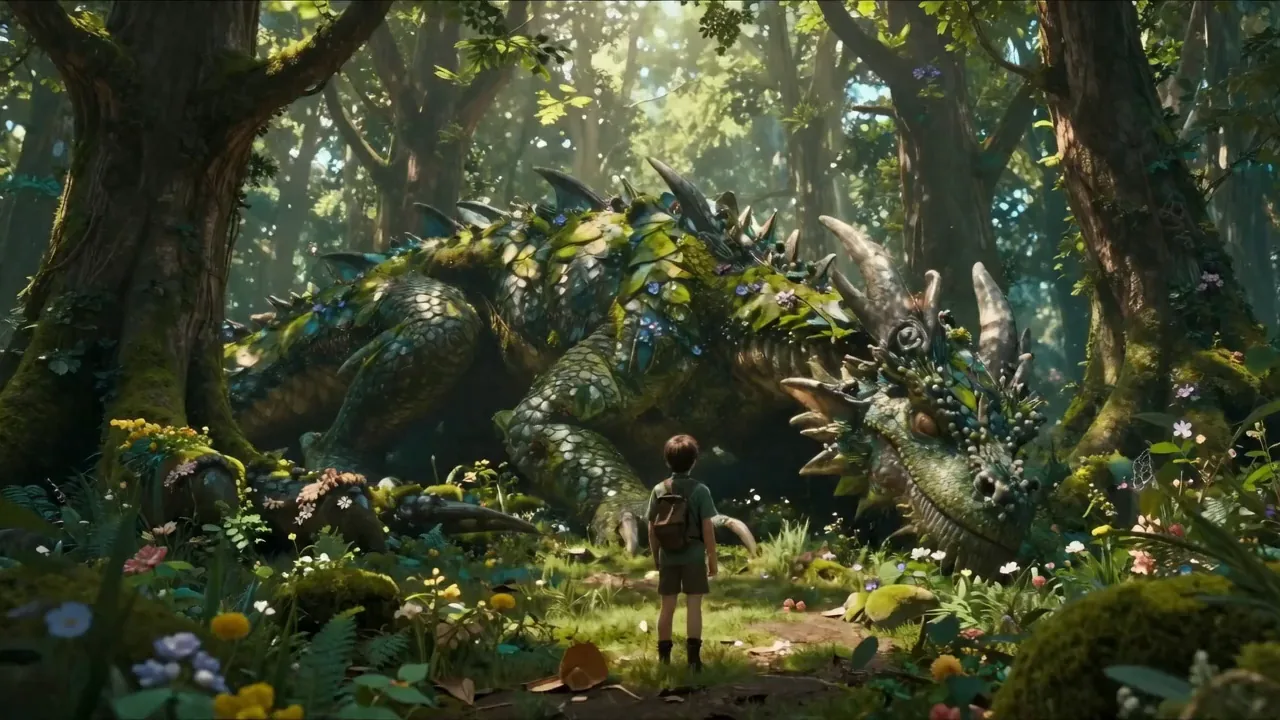
 START FRAME · 16:9 · 720P
Wake a still frame with four small changes
What Wan 3.0 image to video
does with your photo
Your photo becomes the actual first frame — not a style reference, the literal opening of the shot.

Frame 001 · yours
Generated from what you described
Wan 3.0 image to video takes one image as the opening frame and generates 2 to 30 seconds of motion from it, at 30 fps in 480P, 720P or 1080P, with audio in the same pass. Supply a second image and it becomes the closing frame, with the model filling in the journey between them.
- Your photo is frame one
- 001
- Any whole second
- 2–30 s
- Frame rate
- 30 fps
- Resolution
- 480P / 720P / 1080P
Your photo is frame one
Any whole second
Frame rate
Resolution
- No HEIC — an iPhone's default container is not on the accepted list
- No transparency — a PNG alpha channel is refused, not flattened
- No reference image beside a first frame — the two families exclude each other
First frame, last frame,
or both
Wan 3.0 image to video is one endpoint with two ways in. Picking the wrong one is the most common reason a result feels off, so here is when each is the right answer — and why the other is not.
First frame only
first_frame
One photo as the first frame. Your video opens on your image and moves forward from it. Use it when you have the opening shot and want to see what Wan 3.0 does next with it.
How to write it
Describe what happens next, not what is already in the picture — Wan 3.0 can already see the picture. Text to video cannot guarantee the output resembles your photo at all, which is the reason to be here.
First + last frame
first_frame + last_frame
Two photos, a start and an end. Wan 3.0 fills in the path between them. Use it when you know exactly where the shot starts and where it must land — a product turn, a before-and-after, a scene change.
How to write it
With only a first frame Wan 3.0 decides the destination, and it will not guess your ending. If the two images are wildly different, say what happens in between in so many words, or it will invent a transition.
One hard rule: the frame family and the reference family cannot be mixed. Send a first frame and a reference image in the same request and Wan 3.0 rejects it rather than picking one — carrying one character across several shots is reference to video. No source image at all? Start from words. More worked setups in prompt ideas.
Check your image
before you spend a credit
The most annoying way to lose a generation is finding out afterwards that the file was never going to work. Drop an image here and it is checked against Wan 3.0's actual limits — format, size, dimensions, ratio and transparency — with the fix named for whichever one fails. Nothing is uploaded: the check runs in your browser.
The most annoying way to lose a generation is finding out afterwards that the file was never going to work. Drop an image here and it is checked against Wan 3.0's actual limits — format, size, dimensions, ratio and transparency — with the fix named for whichever one fails. Nothing is uploaded: the check runs in your browser.
JPG · JPEG · PNG · BMP · WEBP · ≤20.0 MB · 240–8,000px · ratio ≤8:1
The checker costs us nothing to run, so use it as often as you like — before every batch if that helps. It is the cheapest part of Wan 3.0 image to video, because it never touches the model.
Wan 3.0 image limits
— and which numbers are the old ones
Search for a Wan image size limit and you will find several different answers, all of them from Alibaba, all of them correct — for a different model. Here is the Wan 3.0 column, and the upload box at the top of this page checks every row before you spend anything.
iPhone photos do not go straight in. HEIC is the iPhone default and Wan 3.0 cannot read the container — the checker catches it in one second and names the setting to change.
Alibaba keeps the older image-to-video documentation published and indexed, and it ranks well because it has been there longer. Both pages are accurate; only one of them is about Wan 3.0. The tell is the model id — if the page says `wan2.1`, `wan2.2` or `kf2v` anywhere, its numbers are not the ones this generator uses: that documentation gives 800 prompt characters, 360–2,000 px, 10 MB and a fixed five seconds, against Wan 3.0's 20,000 characters, 240–8,000 px, 20 MB and any whole number of seconds from 2 to 30.
Will it change my face?
Keeping the subject from drifting
Drift is when the face in second eight is not quite the face in second one — the same photo, run twice.
Wan 3.0 holds an opening frame well, and holds it less well the longer the clip runs and the more the camera moves. If your prompt only describes motion, everything you did not describe is left open, and the model is free to reinvent it.
Three things help, in order of how much they help. Give the motion somewhere to go — "turns to face the window" holds better than "moves around". Keep the camera honest: one named move per clip, because Wan 3.0 tracks a subject through a push-in far more reliably than through an unspecified handheld wander. And shorten before you fight it — a twenty-second clip with drift often becomes two clean ten-second clips, cheaper to generate and easier to cut.
 The input
The coat changes weave and the hairline moves. Nothing in the prompt said they should not.

Same camera move, same length, same seed conditions. The clause is the only change.
The only difference between them
The subject — red wool coat, dark fringe, silver ring on the left hand — keeps the same face, hair, clothing and colours throughout; only the camera and the described motion change.
Type what must not change. The clause below is what gets appended to your prompt.
Goes on the end of your prompt
The subject keeps the same face, hair, clothing and colours throughout; only the camera and the described motion change.
If the subject has to survive several separate shots rather than one long one, that is a different mode: reference to video takes up to ten images of the same character and holds them across generations. It cannot be combined with a first frame in the same request.
Why Wan 3.0 takes the aspect ratio
from your image
Leave the ratio on adaptive and the output follows your source image, which is almost always what you want — a vertical photo becomes a vertical clip with nothing cropped and nothing padded. That is the opposite of text to video, where there is no image to read and you have to choose. Wan 3.0 supports adaptive plus 16:9, 4:3, 1:1, 3:4 and 9:16.
Image to video · this page
ratio: adaptive
Read from the picture you uploaded. Editable, but it already knows.
Text to video
ratio: required
Adaptive is rejected outright — there is no image to infer a frame from.
Set an explicit ratio only when the destination demands it and you are willing to lose edges — a 4:3 photo left on adaptive gives a 4:3 video, which sits in a letterboxed slab on a phone feed. There is no 21:9 in Wan 3.0: for a wide cinematic bar, generate at 16:9 and crop in an editor rather than hunting for a setting that does not exist.
Writing the transition,
not the picture
This is the part people get wrong in first-and-last-frame mode. Wan 3.0 can already see both images — it does not need you to describe what is in them. What it needs is what happens between them.
This is the part people get wrong in first-and-last-frame mode. Wan 3.0 can already see both images — it does not need you to describe what is in them. What it needs is what happens between them.
Describing the picture
Describing the change
A young girl smiling in a warm room
A young girl gradually transitions from a smile to laughter, the camera slowly pushing in, background lighting shifting from cool to warm tones.
A closed product box on a desk
The lid lifts away over four seconds, the camera drops to a low angle as the contents come into view, one soft click as it opens.
The first pair is Alibaba's own sample prompt for first-and-last-frame mode — worth reading twice, because it names three separate things that change: the expression, the camera, and the light.
Same principle at any length: name the change, name the camera, name the sound. If nothing in the prompt describes movement, Wan 3.0 will invent some. Want the wording built for you? The prompt builder.
What one Wan 3.0 image to video clip costs
Identical to text to video: length and resolution set the price, audio does not, and uploading a second frame costs nothing extra. A failed run is refunded automatically — and with the checker above, most of the failures that used to cost people credits never reach the model at all.
How this is billed
- Billed by
- output second
- Failed generation
- refunded
- Your first clip
- free · 480P
Draft at 480P to find the motion, then run the keeper once at 720P or 1080P — the image does not need re-checking between runs. Full pricing.
Same monthly credits either way
- Free first clipNo card
One generation, once, on the real `wan3.0-video`. A sample rather than an allowance — every free second is cash spent before any arrives.
$0onceNo card at any point
Generate free clipAn email, no card
1 clip, once
480P · up to 3s · with sound
An email, no cardWan 3.0 has no free tier of its own — Alibaba meters it from the first second
- The real wan3.0-video, not 2.7
- Sound generated with the picture
- Model ID and task ID on the receipt
- A failed run never costs you
- 720P and 1080PPaid
- Clips longer than 3 secondsPaid
- Reference, document and editing modesPaid
- More than one clip, everPaid
Anyone advertising unmetered free access is either serving a different model or paying a bill that will not last.
At a glance
- Clips a month
- 1, once
- Takes per run
- 1
- Longest clip
- 3s
- Top resolution
- 480P
- StarterSave 50%
A launch post a week. Enough to find out whether the Wan 3.0 AI video generator suits the way you work, without a decision about volume.
$9.90/mo$19.80$118.80 billed yearly
Cancel anytime
480 credits / month · ≈ 12 clips
at 5s 480P · 6 at 720P · 3 at 1080P
Plan credits expire at the end of the month
- **480 credits a month** — about 12 finished clips
- 2 takes of one prompt per run
- Every resolution — 480P, 720P and 1080P
- Every length — 2 to 30 seconds in one pass
- Every input — text, image, reference, document, web page
- Sound written in the same pass, no watermark
- Commercial use included — publish it, sell it, bill for it
- Wan 3.0 Prime, the fast tier, whenever you want it
- A failed run never costs credits
- 7-day refund while the credits are untouched
- Cancel in two clicks — the price you joined at is locked
Everything under the first two lines is on this plan at $9.90. The bigger plans buy seconds and takes — never a better model.
At a glance
- Clips a month
- ≈ 12 at 5s 480P
- Takes per run
- 2
- Credits per dollar
- Baseline
- Refund window
- 7 days
- Most people land herePro
One finished clip every working day, with three alternates each. The draft-at-480P, finish-at-1080P loop, sized for a working week.
$29.90/mo$59.80$358.80 billed yearly
Cancel anytime
1,760 credits / month · ≈ 44 clips
at 5s 480P · 22 at 720P · 11 at 1080P
Plan credits expire at the end of the month
- **1,760 credits a month** — 3.7× Starter4×
- ≈ 44 finished clips a month, or 11 at full 1080P
- **4 takes of one prompt per run** — pick one instead of re-rolling2× takes
- **+32% credits per dollar** than StarterBetter rate
- Room to draft at 480P and finish at 1080P in the same week
- Every resolution — 480P, 720P and 1080P
- Every length — 2 to 30 seconds in one pass
- Every input — text, image, reference, document, web page
- Sound written in the same pass, no watermark
- Commercial use included — publish it, sell it, bill for it
- Wan 3.0 Prime, the fast tier, whenever you want it
- A failed run never costs credits
- 7-day refund while the credits are untouched
- Cancel in two clicks — the price you joined at is locked
The jump from Starter is quantity, takes and rate. The model, the resolutions and the thirty seconds were already yours.
At a glance
- Clips a month
- ≈ 44 at 5s 480P
- Takes per run
- 4
- Credits per dollar
- +32% vs Starter
- Refund window
- 7 days
- StudioBest rate
Client volume, and the plan where you stop rationing 1080P. Forty full-resolution finished clips a month, at the lowest credit price on this page.
$79.90/mo$159.80$958.80 billed yearly
Cancel anytime
4,960 credits / month · ≈ 124 clips
at 5s 480P · 62 at 720P · 31 at 1080P
Plan credits expire at the end of the month
- **4,960 credits a month** — 10× Starter, 2.8× Pro13×
- ≈ 124 finished clips a month, or **31 at full 1080P**
- **+65% credits per dollar** — the best rate on this pageBest rate
- Enough 1080P that you stop drafting at 480P first
- 4 takes of one prompt per run
- Sized for a client roster rather than one channel
- Top up any month without changing plan
- Every resolution — 480P, 720P and 1080P
- Every length — 2 to 30 seconds in one pass
- Every input — text, image, reference, document, web page
- Sound written in the same pass, no watermark
- Commercial use included — publish it, sell it, bill for it
- Wan 3.0 Prime, the fast tier, whenever you want it
- A failed run never costs credits
- 7-day refund while the credits are untouched
- Cancel in two clicks — the price you joined at is locked
Studio is volume and rate, nothing else. If you are not spending a month’s credits, Pro is the honest answer — we would rather write that here than take the difference.
At a glance
- Clips a month
- ≈ 124 at 5s 480P
- At full 1080P
- ≈ 40 a month
- Credits per dollar
- +65% vs Starter
- Refund window
- 7 days
How to animate a still
with Wan 3.0 image to video
The step that decides the result is the third one: describe what changes between the frames you fixed, not what is in them.
Drop in your first frame
The check runs instantly, in your browser. A good file shows a green row; a bad one gives you the fix before you spend anything.
Checked freeAdd a last frame, if you know the ending
One image is enough — Wan 3.0 will decide where the shot goes. Supply a second and it becomes the closing frame instead.
OptionalSay what changes, not what is there
Wan 3.0 can already see the images. Describe the movement between them, the camera, and the sound.
Sound in the same fieldSet length and resolution, then generate
Any whole number of seconds from 2 to 30, at 30 fps in 480P, 720P or 1080P, returned as one MP4 with the audio inside it.
Up to 1080P
Around ninety seconds for a short clip, and you can close the tab while it runs. The uploaded photograph is never modified — the output is a new file.
Wan 3.0 image to video questions
Fourteen answers · all visible · nothing collapsed
Do I have to sign up to animate a photo?
What image formats does Wan 3.0 accept?
Why will my iPhone photo not upload?
What is the image size limit?
Do I need a last frame?
Can I use a reference image and a first frame together?
How long can a Wan 3.0 image to video clip be?
Will the video keep my image's aspect ratio?
Does Wan 3.0 image to video generate sound too?
What happens if the generation fails?
Bring one photo, get a clip
Drop an image in, let the checker confirm it, and generate. One free Wan 3.0 clip at 480P, up to three seconds — an email, no card. If the motion is not what you imagined, it cost you nothing.
Written and maintained by the wan-3.run editorial teamPublished Last updated